
Instagram Posts for Clothing Brands: Editorial Shots Without a Photoshoot
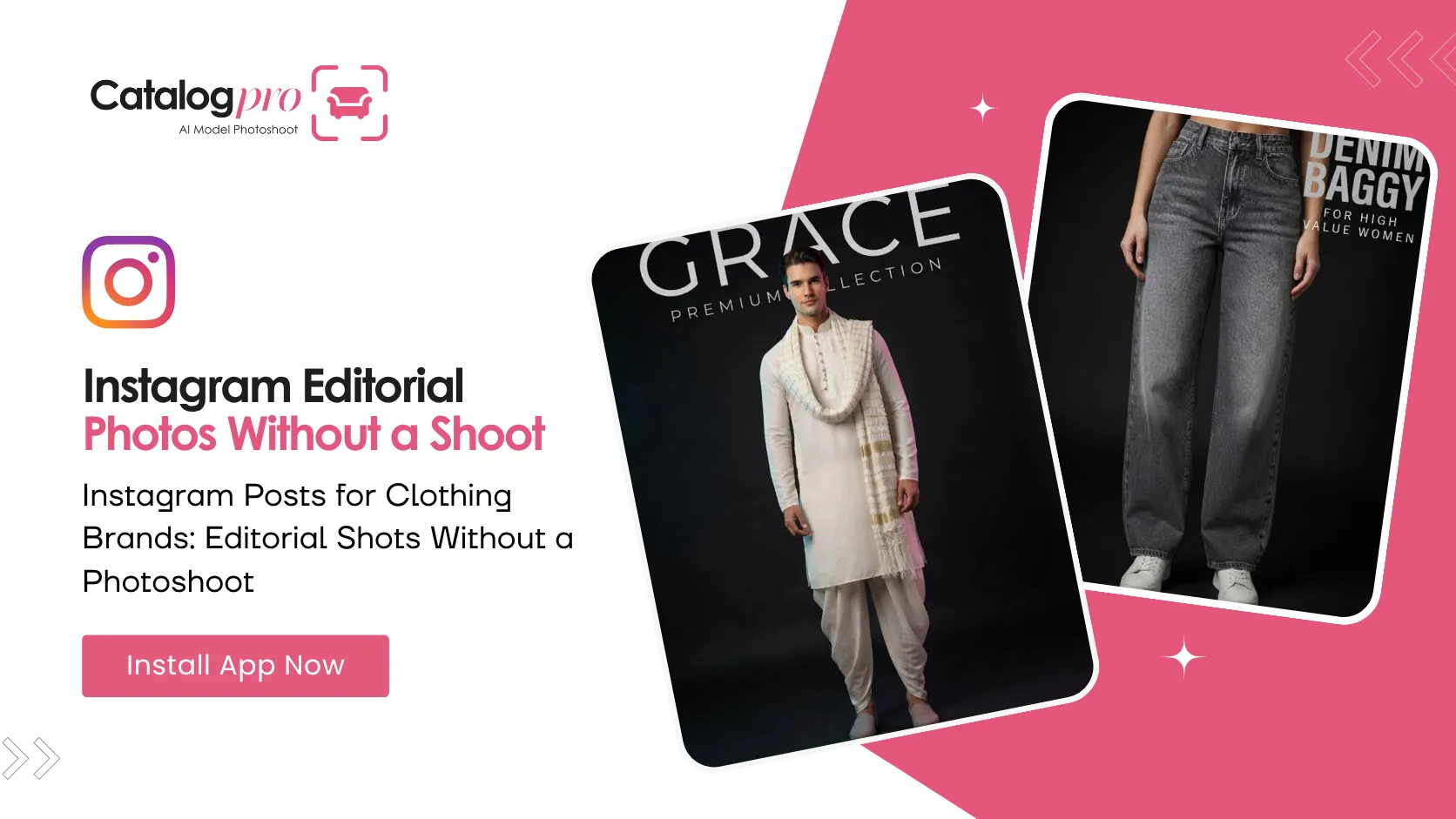
Your catalog photos are fine. Clean background, garment visible, marketplace happy. And they look completely wrong on Instagram.
That is not your fault. A marketplace listing image is locked to a spec: plain light backdrop, fixed ratio, whole product in frame. A feed post is the opposite on every single axis — dark, editorial, tightly cropped, with the garment deciding the frame rather than the marketplace. Posting one where the other belongs never works.
The Crop Is the Whole Thing
Before anything else, Catalog Pro asks what you are posting about. Not what colour, not what fabric — what kind of garment. That answer decides the crop, and the crop is what separates a feed post from a catalog shot.
- Topwear — t-shirts, shirts, hoodies, jackets. Framed chest-up with the cut at or below the waist, so the hem is in the picture and the print reads at thumbnail size.
- Bottomwear — jeans, trousers, skirts, shorts. Framed from just above the waist down to the shoes, head entirely out of frame. Nobody is looking at a face in a denim post.
- Full body — dresses, co-ords, jumpsuits. The one category that needs the whole figure, because the line from shoulder to hem is the garment.
You pick it once, at the start, and every post in that job is framed for it.
Then You Pick How It Is Shot
Each category comes with its own set of photo styles, written for that garment. You read a plain description and choose. For topwear, for example:
- Moody light — dark background, light down one side, model turned a little away.
- Bold & centred — facing the camera, even light, standing still. Simple and strong.
- Close on the fabric — close in on the chest so the print and the weave fill the frame. The head is cropped off, and that is deliberate: this one is a photograph of cloth.
- Flash photo — direct flash on a dark wall. Raw and current rather than glossy.
- Black & white — no colour, one hard light, strong contrast.
Bottomwear gets its own set — street style, clean studio, walking mid-step, a close-up on the waistband and stitching. Full body gets dramatic side light, a centred campaign frame, a mid-turn that shows how the fabric moves, and a low angle that makes the outfit read as taller.
You are never typing photography words. You are reading a sentence about the picture and tapping the one you want.
Gender and Model
Clothing gets worn, so a clothing post needs a person in it. The app asks for a gender and it does not guess — which gender wears the garment changes the result enough that a default would be wrong as often as right. The row stays marked Required until you tap it.
After that you pick a model, or let the app make you one. If you have never made a model before, your first one is created along with the post and saved to your Avatars tab, so every job after this reuses the same face. That consistency is worth a lot on a feed: the same model across twenty posts is what makes twenty posts look like a brand.
What to Photograph
Give it up to four reference photos of the garment. Flat on a table, on a hanger, held up — it does not matter. What matters is that between them they show:
- The front, clearly, in daylight if you can
- Any print or embroidery, close enough to read
- The true colour — avoid yellow indoor bulbs
- The texture, if the fabric has one worth showing
Every photo you add is shown to the AI for every image it makes, so the garment in the post is your garment, not a lookalike.
Add Your Words
The last thing is a short headline — the big line of type on the post — and an optional spec line under it, the kind of thing that reads like "240 GSM cotton". Keep both short. Big type printed on an image works when it is a few words and falls apart when it is a sentence.
Those are the only words you write. Everything else about the picture you chose from a list.
Post It
Ask for up to three at a time and you get three genuinely different shots of the same garment — enough for a carousel, or enough to pick your favourite and bin the rest.
Your Meesho and Amazon listings still want their clean catalog images. Keep making those. But the account where people find you in the first place wants something else entirely, and now you can make that too.
Ready to Try It?
Download Catalog Pro and make your first social media post in under 2 minutes.
Download Catalog Pro — Free to StartMore Tips for Sellers
Social Media Posts From One Product Photo
The whole flow, start to finish — category, photos, look, headline.
The Dark Aesthetic: Why Feed Posts Look Nothing Like Listing Photos
Five backgrounds, and why every one of them is dark.
Instagram Post Size for Sellers: Portrait vs Square
Why portrait beats square in a feed, and when square is still the right call.