
Meesho Clothing Photos: How to Create Professional Fashion Catalog Images
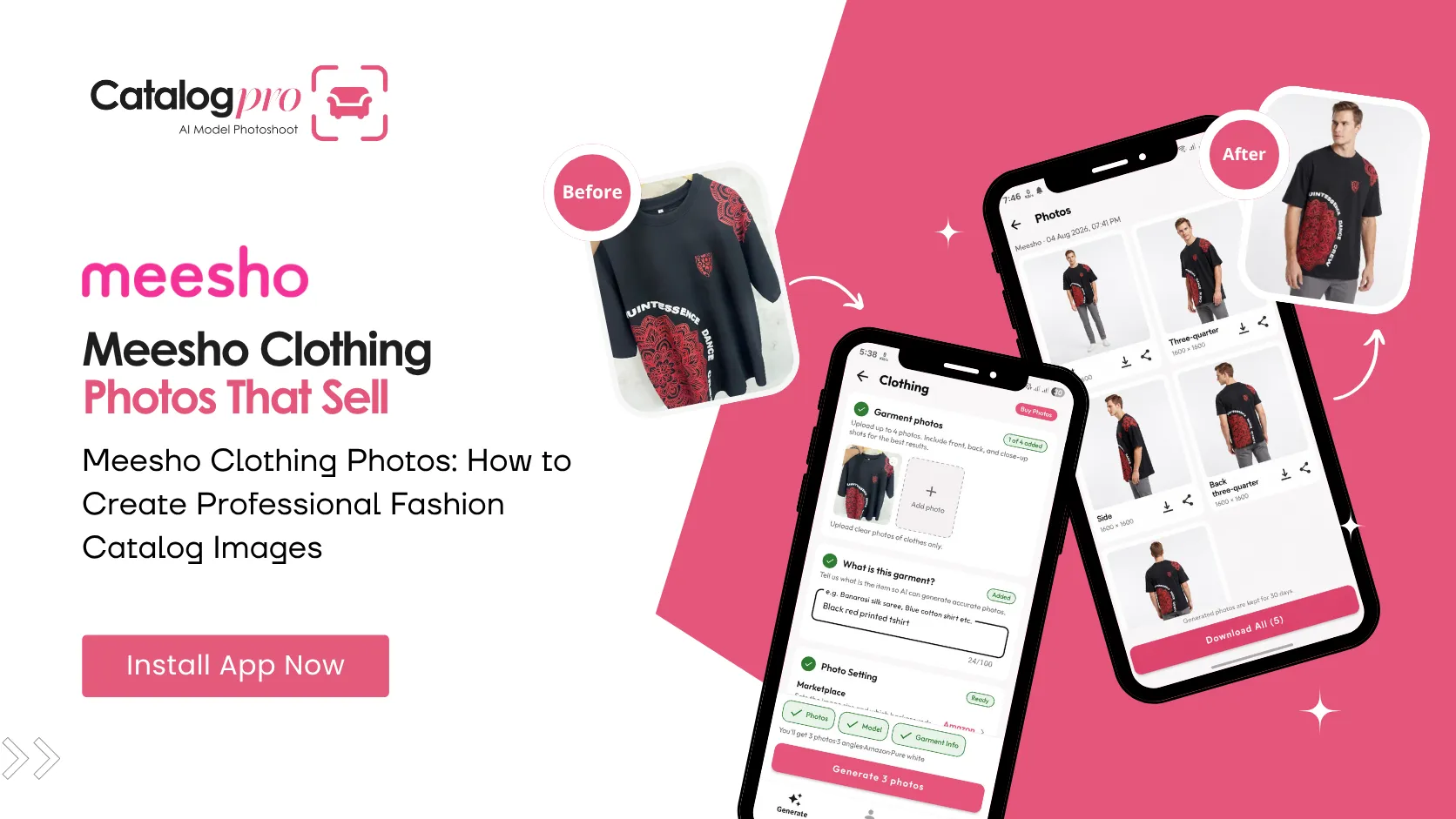
Fashion is Meesho's biggest category — and the most competitive. Thousands of sellers list the same types of kurtis, sarees, and salwar sets. The sellers who get the orders are the ones whose clothing photos look professional, trustworthy, and shareable. On Meesho, your catalog images are not just listings — they are the content resellers share directly on WhatsApp to make sales.
This guide covers everything Meesho fashion sellers need to know about creating clothing photos that drive orders — from the right image dimensions to why model photos outperform flat-lay, and how to create professional fashion catalog images without hiring a photographer.
Why Clothing Photos Matter More on Meesho
Meesho works differently from Amazon or Flipkart. On Meesho, resellers browse your catalog, pick products, and share the images directly with their customers on WhatsApp, Facebook, and Instagram. This means your product photos have to do double duty:
- Convince the reseller — the reseller needs to believe the product looks good enough to share with their network. A flat, poorly lit photo of a kurti on a bedsheet will get scrolled past.
- Convince the end buyer — the same image the reseller shares is what the buyer sees. There is no product page, no description, no reviews at that stage — just the photo. If the photo does not sell the product, nothing will.
This is why model photos consistently outperform flat-lay photos on Meesho. A saree draped on a model looks like something a buyer can imagine wearing. The same saree photographed lying flat on a surface looks like fabric.
Recommended Image Dimensions for Meesho Clothing
Meesho does not enforce image dimensions as strictly as Amazon, but following these recommended specifications gives your listings the best appearance across the app:
- Aspect ratio — 3:4 (portrait orientation). This fills the Meesho product card naturally without awkward cropping or white bars.
- Resolution — 1080 × 1440 pixels minimum. Higher resolution (1500 × 2000) is better for zoom and clarity.
- File format — JPEG or PNG. JPEG with 85%+ quality gives the best balance of file size and clarity.
- File size — under 5 MB per image. Meesho compresses larger files, which can reduce quality.
For detailed specifications across all product types, see our Meesho image size guide.
Model Photos vs Flat-Lay: What Works on Meesho
For clothing, the choice is clear: model photos win. Here is why:
- Better shareability — resellers share catalog images on WhatsApp. A photo of a model wearing a kurti looks like a fashion photo worth sharing. A flat-lay photo of the same kurti looks like a marketplace listing — functional, but not shareable.
- Fit and drape — buyers want to see how the garment falls, how the sleeves look, how the neckline sits. A model photo shows all of this naturally. A flat-lay photo makes every garment look the same shape.
- Perceived value — model photos make products look more expensive and more trustworthy. For a Meesho seller competing on thin margins, the perceived quality of your photos directly affects whether a buyer pays ₹399 for your kurti or ₹299 for the same kurti from a seller with flat-lay photos.
The traditional barrier to model photos was cost. A single photoshoot with a model costs ₹5,000–₹25,000 per day, and you need to shoot your entire catalog in that time. For sellers adding 10–50 new products per week, this is financially impossible. AI models have removed this barrier entirely.
Photography Tips by Clothing Type
Sarees
Sarees are the hardest Indian garment to photograph well because so much of their appeal is in the drape. A saree on a hanger or laid flat loses its visual impact entirely. Model photos are practically mandatory for saree catalogs. Show the pallu drape, the blouse pairing, and a full-length view. If photographing the fabric flat, focus on the border detail and the overall pattern — buyers need to see both.
Kurtis
Kurtis are Meesho's highest-volume fashion category. The key is consistency — your entire kurti catalog should look like it belongs to one brand. Same model (or same AI model), same pose, same background. Buyers browse multiple kurtis in a session, and visual consistency signals professionalism. Show the full length, a close-up of the neckline or embroidery, and a back view if the design continues.
Lehengas and Bridal Wear
Lehengas are higher-value items where buyers expect premium photography. Show the full ensemble (lehenga, choli, dupatta), the embroidery detail, and the flare of the skirt. These are aspirational purchases — the photos should make the buyer imagine wearing it to a wedding or festival.
Salwar Sets and Suits
Three-piece sets (kurta, bottom, dupatta) need photos that show all three pieces together and individually. The main image should show the complete set on a model. Secondary images can show fabric close-ups and dupatta details separately.
Western Wear
Tops, dresses, and jeans follow simpler photography rules. Clean background, model photo showing fit, one or two detail shots. Western wear buyers on Meesho are more price-sensitive and make faster decisions — clear, straightforward photos convert better than elaborate styling.
The Cost Problem for Meesho Fashion Sellers
Meesho fashion operates on razor-thin margins. A kurti that sells for ₹399 with a margin of ₹50–₹100 cannot absorb ₹500 in photography costs per product. The math simply does not work for traditional photography:
- Model fees — ₹5,000–₹15,000 per day. Even if you shoot 30 products in a day, that is ₹170–₹500 per product for the model alone.
- Photographer — ₹3,000–₹10,000 per day on top of model fees.
- Studio rental — ₹1,000–₹5,000 per session.
- Editing — ₹50–₹200 per image for background removal, colour correction, and retouching.
For a seller adding 20 new products per week, traditional model photography would cost ₹40,000–₹1,00,000 per month. That is more than many Meesho sellers earn in profit.
How to Create Professional Meesho Clothing Photos
Catalog Pro is built for exactly this problem. Take a phone photo of your garment — on a hanger, on a table, or laid flat — and the app generates professional catalog images with an AI model wearing the garment, studio lighting, and a clean background.
Step 1: Photograph the garment
Lay the garment flat or hang it on a hanger. Make sure the full garment is visible, the fabric is not bunched or wrinkled, and the lighting is decent (near a window works well). One phone photo is all you need.
Step 2: Choose your model and style
Select an AI model from the library — or create your own custom model and reuse it across all your listings for a consistent brand look. Pick the pose, background, and style that fits your catalog.
Step 3: Generate and download
In under 2 minutes, Catalog Pro generates multiple professional images — front view, side angle, and close-ups — all at the right dimensions for Meesho (3:4 aspect ratio, 1080×1440px+). Download and upload to the Meesho Supplier Panel.
You can photograph and process 20 garments in under an hour. That is an entire week's worth of new listings done in a single sitting.
Meesho Clothing Photo Checklist
- Use model photos instead of flat-lay for all clothing listings
- Images are 3:4 aspect ratio (1080×1440 or higher)
- Background is clean and uncluttered
- Full garment is visible — no cropped hems or sleeves
- Colours are accurate — what the buyer sees is what they receive
- At least 3 images per listing — front, back, and detail
- Consistent model and style across your catalog
- Images look good when shared on WhatsApp (test this yourself)
Better Photos, More Orders
On Meesho, your clothing photos are your storefront, your marketing material, and your sales pitch — all in one image. The sellers who invest in professional-looking catalog photos get more reseller shares, more orders, and fewer returns. You do not need a studio or a model to get there.
Ready to Try It?
Download Catalog Pro and create your first professional Meesho fashion catalog photos in under 2 minutes.
Download Catalog Pro — Free to StartMore Tips for Sellers
Meesho Product Photography: Complete Guide for New Sellers
From clothing to furniture — how to create professional Meesho catalog photos.
Meesho Image Size Guide: Product Photo Dimensions and Requirements
Recommended dimensions, file formats, and photo requirements for Meesho listings.
AI Model for Clothing: How Virtual Models Are Changing Fashion Photography
How AI models are replacing traditional model photoshoots for fashion sellers.