
Meesho Product Photography: Complete Guide for New Sellers
Meesho is India's largest social commerce platform, with millions of sellers listing everything from sarees and kurtas to furniture, electronics, and home decor. Competition is fierce — and the first thing buyers see is your product photo.
Good Meesho photography is the difference between getting orders and getting ignored. This guide covers what you need to know about product photography for Meesho — image requirements, category-specific tips, and how to get professional results without spending a fortune.
Why Photos Matter More on Meesho
Meesho buyers make decisions fast. They scroll through dozens of products in seconds, and your catalog photo is your only chance to make them stop and click.
Here is what professional Meesho photography does for your business:
- Higher click-through rates — professional photos grab attention in crowded Meesho search results and category pages
- More conversions — buyers trust listings with clear, well-lit photos. They can see what they are getting, so they buy with confidence.
- Fewer returns — accurate product photography reduces the gap between expectations and reality, which means fewer returns eating into your margins
- Better search rankings — Meesho's algorithm favors listings with higher engagement. Better photos → more clicks → higher ranking → even more sales.
Meesho Image Best Practices
While Meesho does not enforce image specifications as strictly as Amazon, there are recommended standards that the best-performing listings follow. For detailed dimensions, see our Meesho image size guide.
- Recommended dimensions — 1080 x 1440 pixels (3:4 ratio) for clothing, minimum 500 x 500 pixels. Maximum file size 5 MB. JPEG or PNG format.
- Clean, uncluttered background — white or neutral backgrounds work best. Avoid photographing products on your bed, floor, or against a busy wall.
- Good lighting — even, bright lighting that shows the product's true colors. No harsh shadows or yellow tint from indoor bulbs.
- Multiple images — front view, back view, side view, and close-ups of details. Buyers want to see every angle before buying.
- Model photos for fashion — clothing, footwear, and accessories perform significantly better when shown on a model rather than laid flat
- Consistent style — use the same background, lighting, and model across your catalog. This makes your Meesho store look professional and trustworthy.
Photography Tips by Category
Different product categories have different photography needs on Meesho. Here is what works best for each:
Clothing and Fashion
This is Meesho's biggest category, and model photos are essential. Show the garment on a model from at least two angles — front and back. For ethnic wear like sarees and lehengas, a three-quarter view helps buyers see the drape and fall of the fabric. A model photoshoot for Meesho fashion does not need to be expensive anymore — AI tools can generate these shots from a single phone photo.
Footwear
Clean white-background shots from multiple angles — side profile, top-down, front, and back. Close-ups of sole patterns and stitching details help buyers assess quality. Product photography for Meesho footwear should be sharp and well-lit.
Furniture and Home Decor
Furniture photography for Meesho works best with a combination of clean white-background shots (for product details) and lifestyle context shots (showing the item in a room setting). Photograph from multiple angles and include close-ups of material texture and joinery.
Electronics and Gadgets
White background, multiple angles, and sharp detail shots. Electronics photography for Meesho should highlight ports, buttons, dimensions, and packaging. Show the product from every angle a buyer would want to inspect.
Jewellery and Accessories
Close-up, detailed shots with clean backgrounds. Show the product at scale if possible — a ring on a finger, earrings on an ear, a bag being carried. For standalone product shots, consistent lighting and sharp focus are critical.
The Cost Problem — and the Solution
Here is the reality most Meesho sellers face: professional product photography is expensive.
- Hiring a Meesho photographer: ₹500–₹2,000 per product
- Renting a photo studio: ₹1,000–₹5,000 per session
- Model fees for fashion: ₹5,000–₹20,000 per day
- Post-production editing: ₹100–₹300 per image
Most Meesho sellers work from home, selling products in the ₹200–₹1,000 range. Spending ₹1,000+ on photography per product does not make business sense. So they take photos with their phone, upload them as-is, and hope for the best.
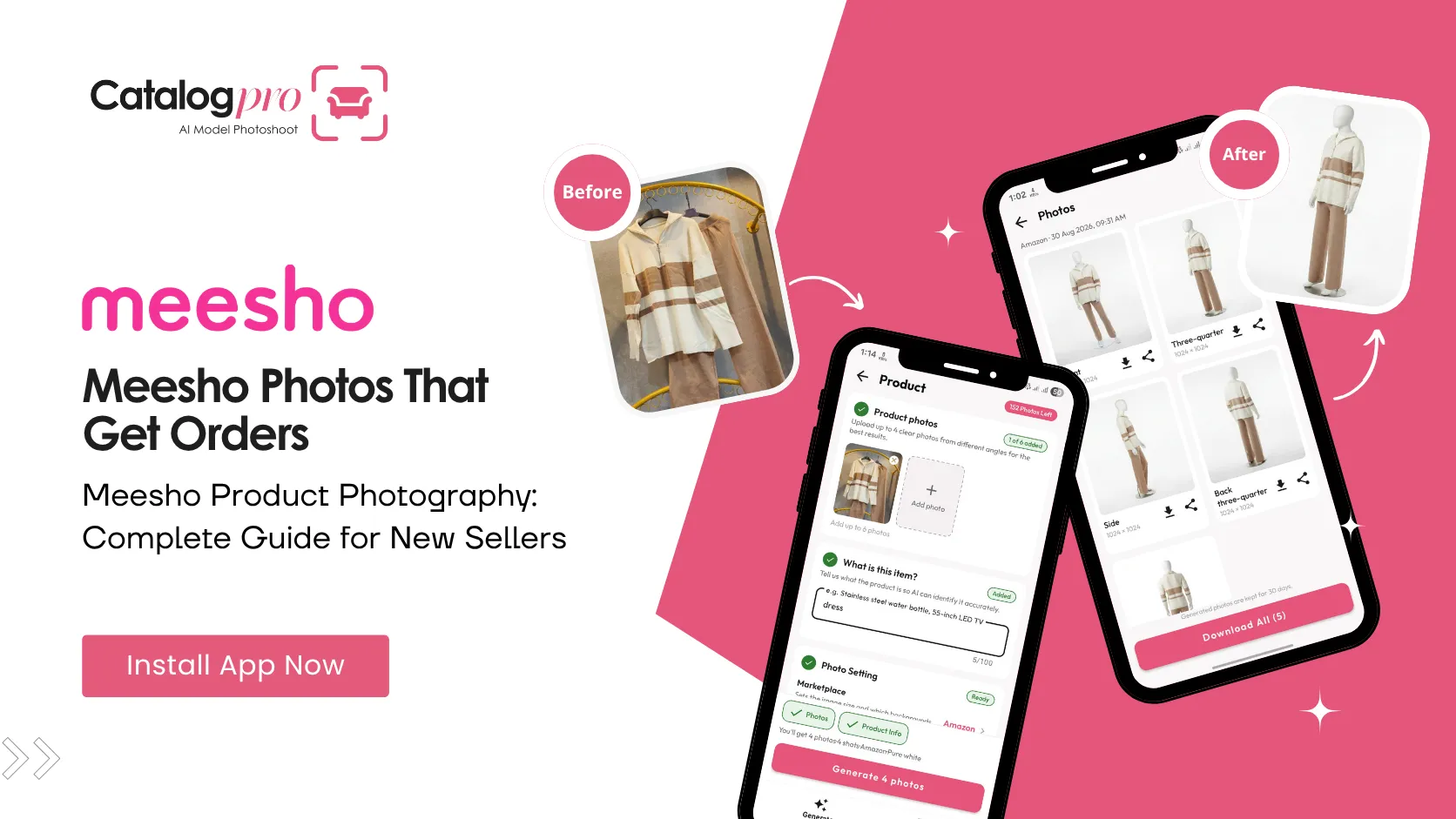
But now there is a middle ground. Catalog Pro turns a simple phone photo into professional, Meesho-ready catalog images using AI. No Meesho photographer to hire. No photo studio to rent. Your phone becomes your ecommerce photography setup.
How Catalog Pro Works for Meesho Sellers
The process for creating a Meesho ecommerce photoshoot with Catalog Pro takes about two minutes:
Step 1: Photograph your product
Use your phone camera to take a photo of your product. For clothing, put it on a hanger or lay it flat. For other products, any clear, front-facing photo works. No special equipment needed.
Step 2: Choose your settings
For fashion items, choose an AI model and the Meesho marketplace preset. For furniture, electronics, or other products, choose the Product flow. Catalog Pro handles the background, lighting, dimensions, and sizing automatically.
Step 3: Download and list
In about 30 to 120 seconds, you get multiple professional photos — ready to download and upload to your Meesho Supplier Panel. The Meesho preset ensures your images are exported at the correct dimensions and format.
Whether you need a model photoshoot for clothing, furniture photography for home decor, or electronics photography for gadgets — it all works from the same app, on the same phone, in minutes.
Start Selling Better on Meesho
Meesho photography does not need to be expensive or complicated. The sellers who invest in good product photos — even if that investment is just downloading an app and spending two minutes per product — consistently outperform those who do not.
You do not need a photo studio. You do not need a professional Meesho photographer. You need photos that look professional, and now there is a way to create them that fits your budget and your workflow.
Your products are good. Make sure your photos show it.
Ready to Try It?
Download Catalog Pro and create your first professional Meesho product photo in under 2 minutes.
Download Catalog Pro — Free to StartMore Tips for Sellers
Meesho Image Size Guide: Product Photo Dimensions and Requirements
Recommended dimensions, file formats, and photo requirements for Meesho listings.
Meesho Clothing Photos: How to Create Professional Fashion Catalog Images
A complete guide to creating Meesho clothing photos that attract buyers.
How to Create Meesho Catalog Images: Step-by-Step Guide
From photographing products to uploading on Meesho Supplier Panel.