
Social Media Posts From One Product Photo
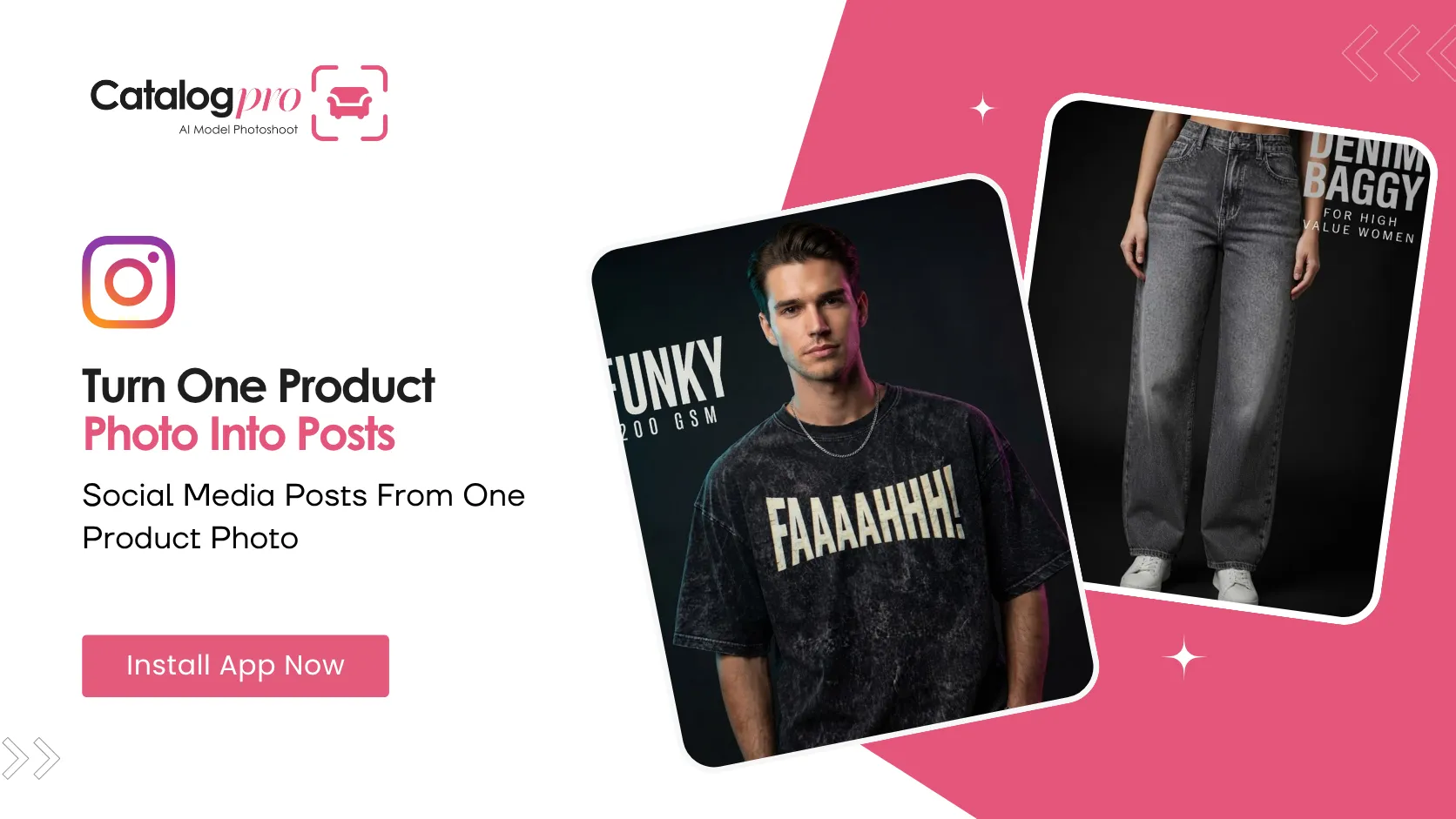
You already photograph everything you sell. Those photos go straight to your listings — and nowhere else.
Meanwhile your Instagram sits empty, because a feed post is a different job. A listing photo is a document: white background, whole product, no mood. A feed post has to stop a thumb. Most sellers know the difference and simply skip the second one, because making it used to mean a photographer, a set, and someone who knows Photoshop.
What a Social Post Actually Needs
Look at any brand you admire on Instagram. Their posts share a few things:
- A dark, controlled background — not a white void
- Light that comes from somewhere — one strong source, a bright edge, real shadow
- A tight crop — the product fills the frame instead of floating in it
- A few words printed on the image — a name, a price, a fabric
None of that is about the product. It is all about the photograph. And that is exactly the part a small seller has no reason to know how to do.
How Catalog Pro Makes One
Open the app, tap Socials, and you get four steps:
- Pick a category. Product, Topwear, Bottomwear or Full body. This is not a label — it decides the crop, which is the single most important thing about the result. A t-shirt is framed chest to waist. Jeans are framed waist to shoes, head out of frame. A dress needs the whole figure.
- Add up to 4 photos of the item. Any background. Your shop floor, a hanger, a table. More photos means the AI sees more of the real item — the print, the stitching, the colour.
- Pick the look. A photo style and a background, both chosen from a list with a plain description under each one. You are not typing art direction; you are picking the picture you want.
- Write your headline. A short line of big type on the post, plus an optional spec line under it — something like a fabric or a weight. These are the only words you write.
Then choose how many posts you want, up to three, and submit. Each one is a genuinely different photograph of the same item, not the same image with a filter on it.
Why You Pick the Look Instead of Describing It
This part used to be a text box. It was the wrong idea.
A photographic brief is a real skill — scene, light, lens, mood. Asking someone who sells kurtis for a living to type one is asking for a vocabulary they have no reason to have, and a blank box gave back nothing useful. So the briefs are written properly, once, and you pick from them.
Each option tells you what you are about to get in plain words. "One bright light and a long shadow on a black floor." "Very close in, so you can see the material and the finish." "Lit from behind in dark empty space, with nothing underneath it." You are choosing a picture, not a phrase.
Clothing Posts Need a Model
If you pick Topwear, Bottomwear or Full body, the post is worn by someone, so the app asks for a gender and a model. Which gender wears the garment visibly changes the result, so nothing is pre-selected — you tap and choose.
No model yet? The post is still made. Your first model gets created along with it, and it stays in your Avatars tab for every job after that.
The Product category needs neither. An object is photographed as itself.
What You End Up With
One to three portrait images, dark and tightly framed, with your headline set into them. Save them to your gallery and post them — to Instagram, to your WhatsApp status, to a Facebook page.
Your listings still need their clean, white-background catalog photos. Catalog Pro makes those too. But your feed needs the other thing, and now that is a two-minute job instead of a shoot you keep postponing.
Ready to Try It?
Download Catalog Pro and make your first social media post in under 2 minutes.
Download Catalog Pro — Free to StartMore Tips for Sellers
Instagram Posts for Clothing Brands: Editorial Shots Without a Photoshoot
How clothing sellers get moody, model-worn feed posts from a photo of a hanger.
Product Social Media Photos: Make an Object Look Like a Campaign
Five ways to shoot a product for the feed — spotlit, floating, close-up and more.
The Dark Aesthetic: Why Feed Posts Look Nothing Like Listing Photos
A listing photo and a feed post are opposite briefs. Here is why, and what to do about it.