
Product Photos for Your Shopify Store
A Shopify store needs a product grid that looks consistent, variant images that match the colour a buyer picks, and real close-ups. Catalog Pro can turn phone photos into clean product or model images; you keep the detail photos real.
See current photo-pack prices. Use your own product photos as references.

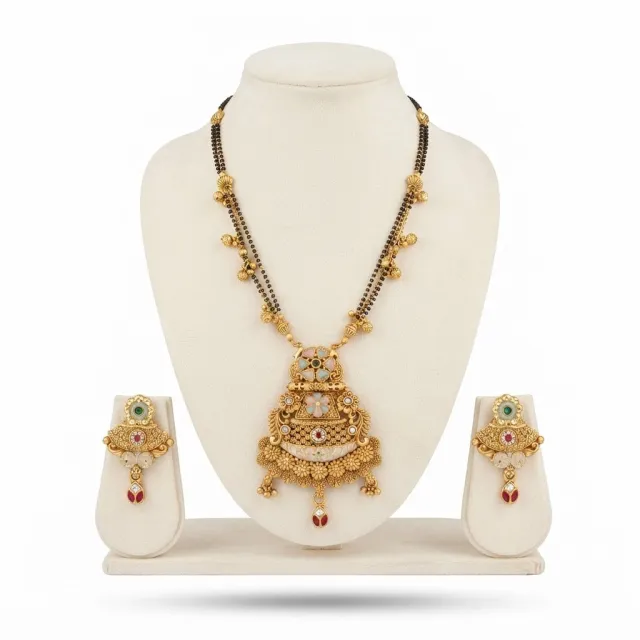
Make a consistent product grid
Choose a main-image crop that suits your theme and keep similar amounts of space around each product. Test tall and wide items before applying the crop across the store. A bag and a long dress may need different framing to remain fully visible.
Match images to variants
Check that selecting a colour shows the corresponding product. Keep source files named with the product code and colour so updates do not mix old and new packaging. Add actual close-ups for material, construction and labels.


Show real workmanship and custom options
For handmade items, real close-ups of stitching, texture, glaze or joinery explain the product. Keep the small variations a buyer will actually receive visible instead of smoothing them away.
If you offer personalisation or made-to-order colours, separate a finished example from the available options. Label mockups and illustrative scenes clearly, and do not use a generated example as proof that an item has already been made.
Show scale and packaging for buyers anywhere
Buyers in another country cannot judge size from a photo alone. State dimensions in centimetres and inches, show the item in a hand or next to a familiar object, and photograph the packaging when it is part of what they receive. Keep props out of the sale contents, or say clearly that they are not included.
Test the storefront on a phone
Review image sharpness, zoom and loading in your actual theme. Compress exported copies without destroying detail, and keep the originals. Write alt text that describes the image plainly. An AI scene still needs checks for product shape, colour and included accessories.
Try one product first
- Take clear front, back and detail photos of one item.
- Open Catalog Pro on the web or the Android app and choose clothing on a model or product photos.
- Pick the model, pose and background options you need, then generate.
- Compare every result with the real item: colour, print, stitching, logos and parts. Download only the ones that match.